Personal visibility
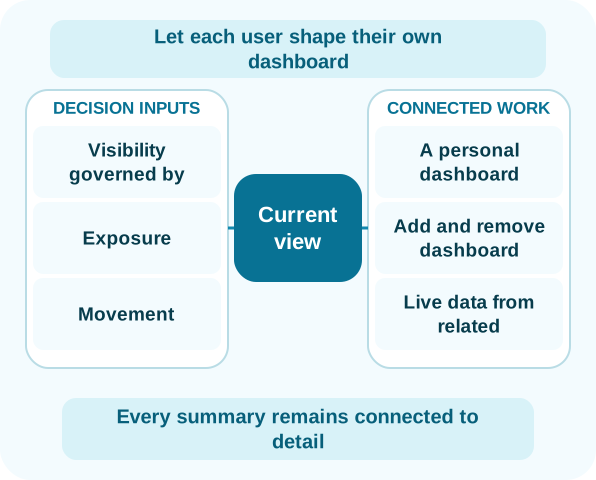
Let each user shape their own dashboard
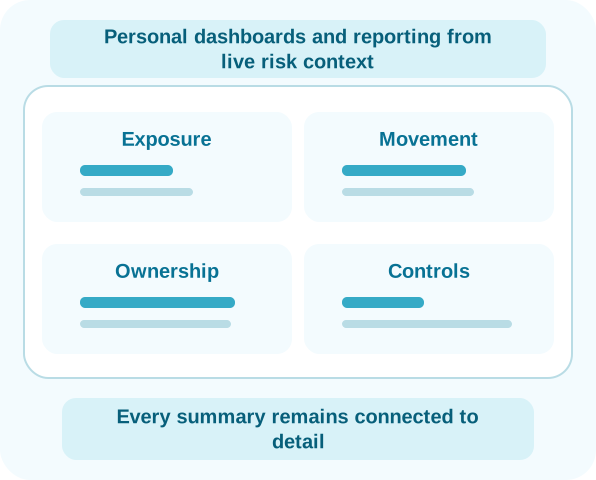
Every user sets up their own dashboard and chooses the risks, controls, issues, actions and other information they want to monitor. There is no need for someone to build separate dashboard versions for teams, managers or business audiences.
Users can add information when it becomes useful and remove it when they no longer want it on the dashboard. Removing something from a dashboard does not remove the underlying item from Parapet.
- A personal dashboard for each user
- Add and remove dashboard information
- Live data from related records
- Visibility governed by item-level security
Dashboard and reporting
Use the same connected data in different ways
Personal dashboards support daily monitoring. Reports organize related information for oversight, discussion and decisions.
Dashboard and reporting
My dashboard
Choose the risks, controls, issues, actions and other information you want to monitor, then add or remove it as your priorities change.
Dashboard and reporting
Portfolio and enterprise reporting
Bring current information together across relevant business areas, risk domains and related records without rebuilding it in spreadsheets.
Dashboard and reporting
Decision-focused reporting
Present exposure, movement, exceptions and work requiring attention with the supporting detail still available.
Connected from detail to summary
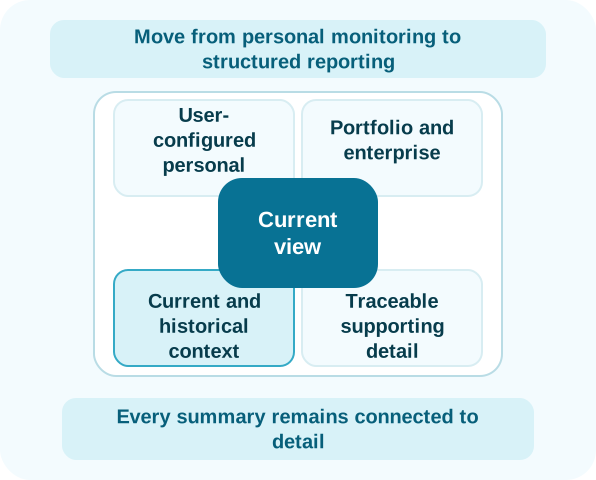
Move from personal monitoring to structured reporting
Dashboard information remains connected to the relevant risk, control, assessment, issue or task. Users can move from what they are monitoring to the current underlying context.
Reports use the same related information to support portfolio, enterprise, management, committee and board oversight. Each user arranges their own dashboard, while reporting presents the wider view without creating separate dashboards for every audience.
- User-configured personal dashboards
- Portfolio and enterprise reporting
- Current and historical context
- Traceable supporting detail